> ## Documentation Index
> Fetch the complete documentation index at: https://docs.lyra.so/llms.txt
> Use this file to discover all available pages before exploring further.
# Introduction
> Programmatically create meetings and manage webhooks with the Lyra REST API
## Overview
The Lyra API lets you programmatically create meetings, manage webhook subscriptions, and verify authentication tokens. The API follows REST conventions and uses JSON for request and response bodies.
All requests are authenticated via `Bearer` tokens — either an **API key** or an **OAuth access token**.
```
https://app.lyra.so/api/v1
```
## Quick Start
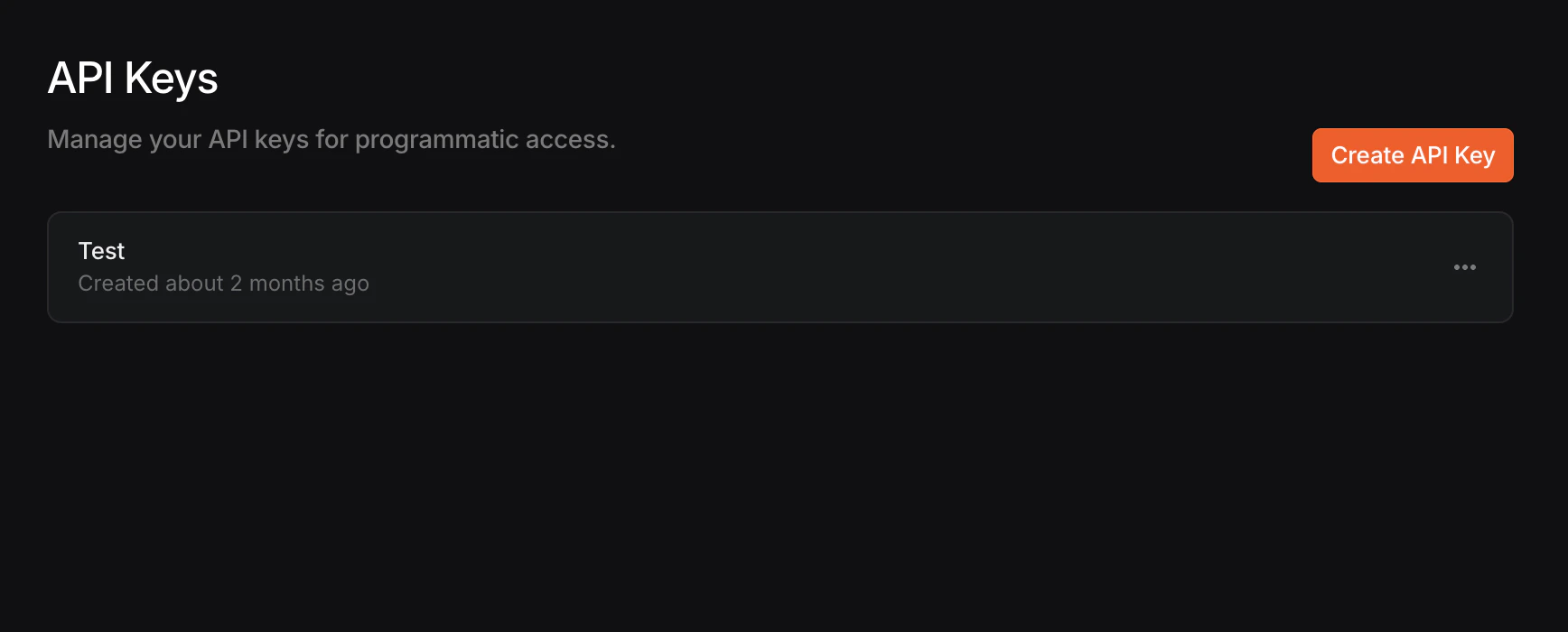
Navigate to **Settings → Developers → API Keys** in your Lyra dashboard and click **Create API Key**.
Give your key a descriptive name, then copy the generated key immediately — it will only be shown once.
 Store your API key securely. Lyra only stores a hash of the key — if you lose it, you'll need to create a new one.
Test your API key by calling the authentication endpoint:
```bash theme={null}
curl -X POST "https://app.lyra.so/api/v1/auth" \
-H "Authorization: Bearer lyra_your_api_key"
```
You should see a successful response:
```json theme={null}
{
"valid": true,
"userId": "user_abc123",
"orgId": "org_xyz789"
}
```
Use the [Create Meeting](/api-reference/meetings/create-meeting) endpoint:
```bash theme={null}
curl -X POST "https://app.lyra.so/api/v1/meeting" \
-H "Authorization: Bearer lyra_your_api_key" \
-H "Content-Type: application/json" \
-d '{
"title": "Customer kickoff",
"start": "2026-04-01T15:00:00.000Z",
"attendees": ["alex@acme.com", "sam@acme.com"]
}'
```
The response includes a join URL for the meeting:
```json theme={null}
{
"type": "lyra_video",
"id": "meeting_123",
"password": "",
"url": "https://app.lyra.so/meeting/abc-def-ghi"
}
```
## Authentication
All API requests require an `Authorization` header with a Bearer token.
```
Authorization: Bearer
```
Lyra supports two types of tokens:
| Type | Prefix | Scopes | Best for |
| --------------- | ------------- | --------------------------- | ------------------------------------------ |
| **API Key** | `lyra_` | Full access (all endpoints) | Server-to-server integrations |
| **OAuth Token** | `lyra_oauth_` | Limited by granted scopes | Third-party apps acting on behalf of users |
API keys have unrestricted access to all endpoints. If you need scoped permissions or are building an integration for other Lyra users, use [OAuth](/oauth) instead.
## Error Handling
The API uses standard HTTP status codes. Error responses include an `error` field with a human-readable message.
| Status | Meaning |
| ------ | -------------------------------------------------------- |
| `400` | Invalid request body or parameters |
| `401` | Missing or invalid authentication token |
| `403` | Token is valid but lacks the required scope (OAuth only) |
| `404` | Resource not found |
| `500` | Internal server error |
```json theme={null}
{
"error": "Insufficient scope. Required: meeting.create"
}
```
## Need Help?
Set up OAuth for third-party integrations with scoped permissions
Reach out to the Lyra team for assistance
Store your API key securely. Lyra only stores a hash of the key — if you lose it, you'll need to create a new one.
Test your API key by calling the authentication endpoint:
```bash theme={null}
curl -X POST "https://app.lyra.so/api/v1/auth" \
-H "Authorization: Bearer lyra_your_api_key"
```
You should see a successful response:
```json theme={null}
{
"valid": true,
"userId": "user_abc123",
"orgId": "org_xyz789"
}
```
Use the [Create Meeting](/api-reference/meetings/create-meeting) endpoint:
```bash theme={null}
curl -X POST "https://app.lyra.so/api/v1/meeting" \
-H "Authorization: Bearer lyra_your_api_key" \
-H "Content-Type: application/json" \
-d '{
"title": "Customer kickoff",
"start": "2026-04-01T15:00:00.000Z",
"attendees": ["alex@acme.com", "sam@acme.com"]
}'
```
The response includes a join URL for the meeting:
```json theme={null}
{
"type": "lyra_video",
"id": "meeting_123",
"password": "",
"url": "https://app.lyra.so/meeting/abc-def-ghi"
}
```
## Authentication
All API requests require an `Authorization` header with a Bearer token.
```
Authorization: Bearer
```
Lyra supports two types of tokens:
| Type | Prefix | Scopes | Best for |
| --------------- | ------------- | --------------------------- | ------------------------------------------ |
| **API Key** | `lyra_` | Full access (all endpoints) | Server-to-server integrations |
| **OAuth Token** | `lyra_oauth_` | Limited by granted scopes | Third-party apps acting on behalf of users |
API keys have unrestricted access to all endpoints. If you need scoped permissions or are building an integration for other Lyra users, use [OAuth](/oauth) instead.
## Error Handling
The API uses standard HTTP status codes. Error responses include an `error` field with a human-readable message.
| Status | Meaning |
| ------ | -------------------------------------------------------- |
| `400` | Invalid request body or parameters |
| `401` | Missing or invalid authentication token |
| `403` | Token is valid but lacks the required scope (OAuth only) |
| `404` | Resource not found |
| `500` | Internal server error |
```json theme={null}
{
"error": "Insufficient scope. Required: meeting.create"
}
```
## Need Help?
Set up OAuth for third-party integrations with scoped permissions
Reach out to the Lyra team for assistance